Nassau & the Family Islands, The Bahamas

Security & technology, installed properly.

JTECH designs and installs CCTV, Starlink, business networking and solar-powered surveillance across Nassau and the Family Islands — then sets it up so you can check your cameras from your phone.

Free, no-obligation site visits across New Providence. Or call (242) 421-8770.

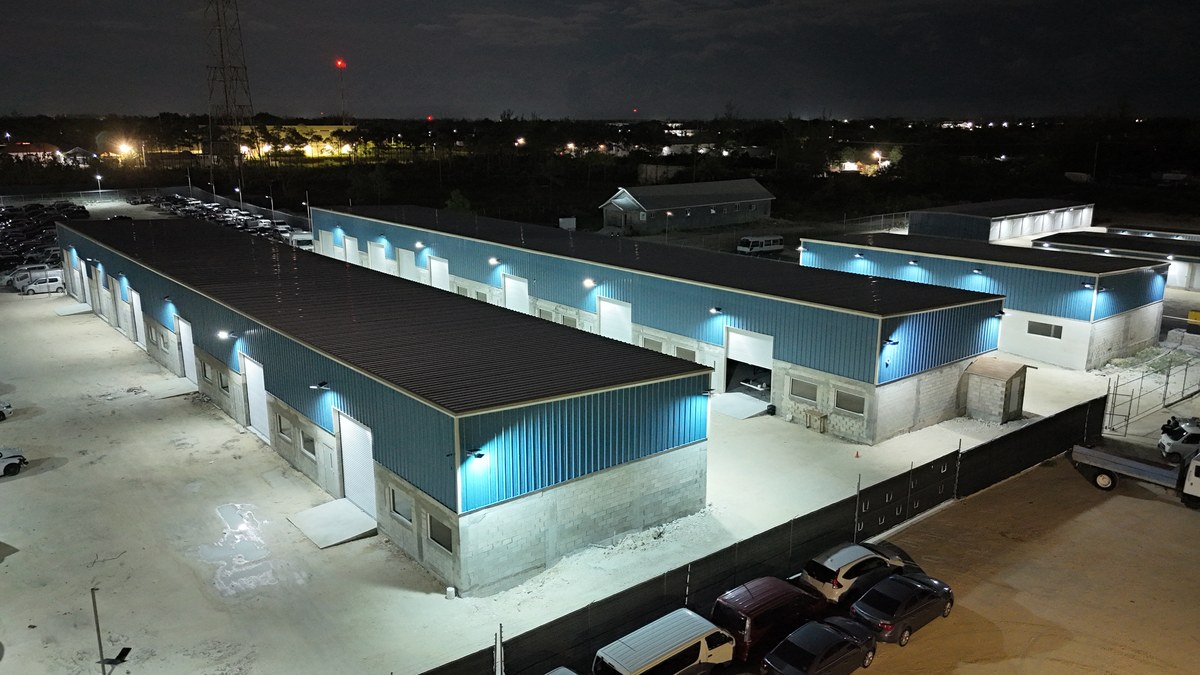
Aerial view at night of a warehouse complex in Nassau lit by solar security lighting installed by JTECH
Warehouse complex, Nassau — solar security lighting installed by JTECH.
100+
Installations completed
Nassau
Based in New Providence, serving the Family Islands
24/7
Remote viewing on every system we install

Who we help

Built for properties that need to stay connected and secure.

Homes

Cameras you can check from anywhere, Wi-Fi that reaches every room, and Starlink where the line doesn't.

Businesses

CCTV, structured cabling, networking and servers for offices, shops, restaurants and warehouses.

Construction sites

A solar surveillance trailer or 4G solar cameras — operational within hours of delivery, with no site power required.

Remote properties

Off-grid cameras, solar lighting and Starlink for Family Island and out-of-the-way properties.

Events & temporary sites

Rapid-deployment surveillance for events, parties and short-term security needs.

Services

CCTV, Starlink, networking and off-grid technology — one team for all of it.

01

Security & CCTV

Cameras, monitoring and property security.

Camera systems designed around your property and installed cleanly — then configured so you can check live feeds and recordings from your phone, from the next room or another country.

  • Camera installation & upgrades
  • NVR / DVR setup
  • Remote viewing
  • Maintenance & repair
  • 4G solar cameras
Talk to us about CCTV
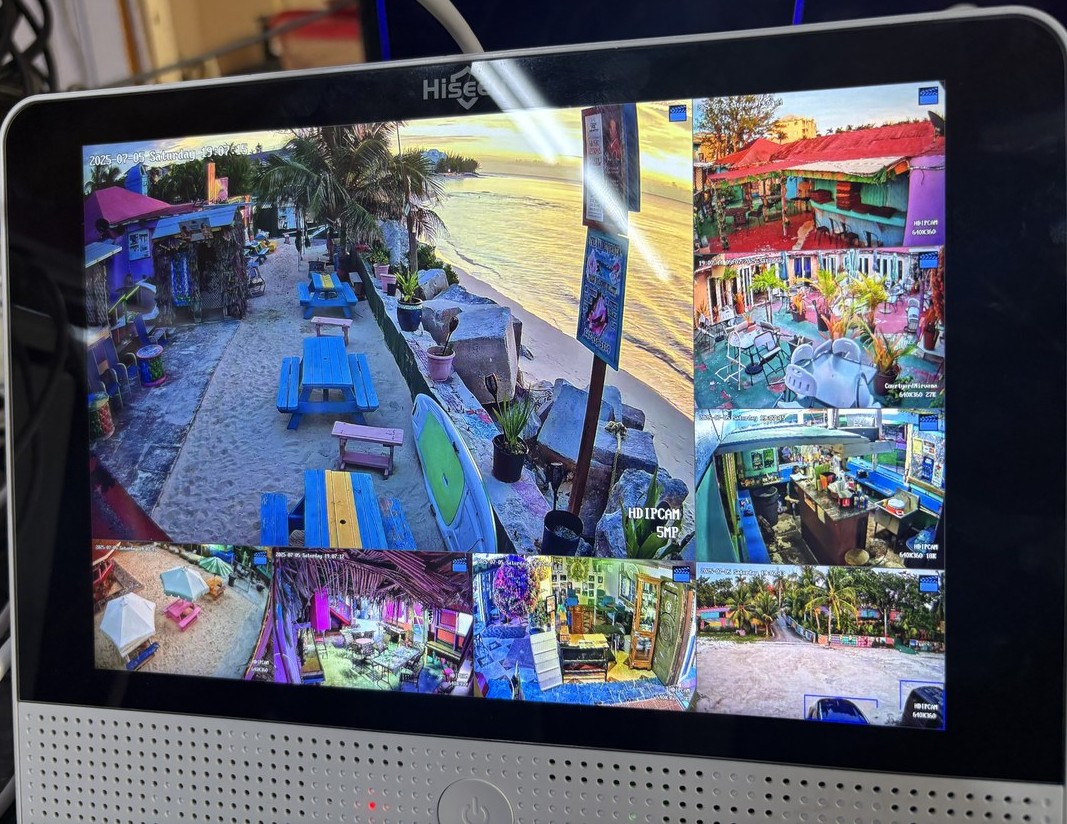
Multi-camera live view of a beach bar on a JTECH-installed CCTV monitor
Live multi-camera view — beach bar, Nassau.

02

Connectivity

Starlink, Wi-Fi and business networking.

Reliable networks built right the first time — Wi-Fi that covers every corner, structured cabling, managed switches and Synology servers. Starlink mounted, aimed and integrated for any property, including the Family Islands.

  • Starlink installation
  • Wi-Fi coverage
  • Structured cabling & racks
  • Servers & storage
  • Point-to-point wireless links
Plan my network
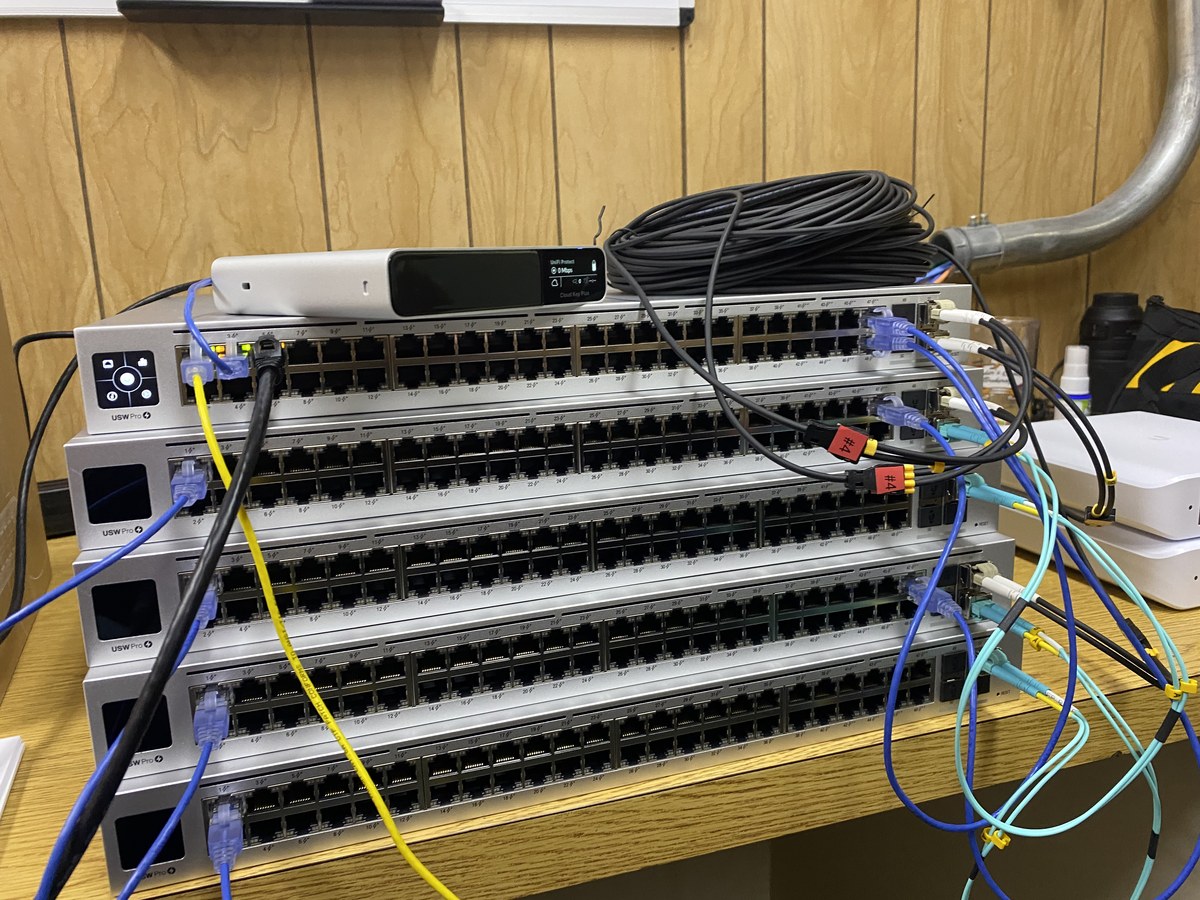
Stack of Ubiquiti UniFi switches with patch cabling during an enterprise network install
Ubiquiti switch stack — commercial network install.

03

Off-grid

Solar cameras, solar lighting and remote surveillance.

No power? No internet? Solar cameras that transmit over 4G, solar security lighting, and a solar surveillance trailer for sites that need eyes now — all built for Bahamian sun and salt air.

  • 4G solar cameras
  • Solar security & street lighting
  • Surveillance trailer rental
See the surveillance trailer
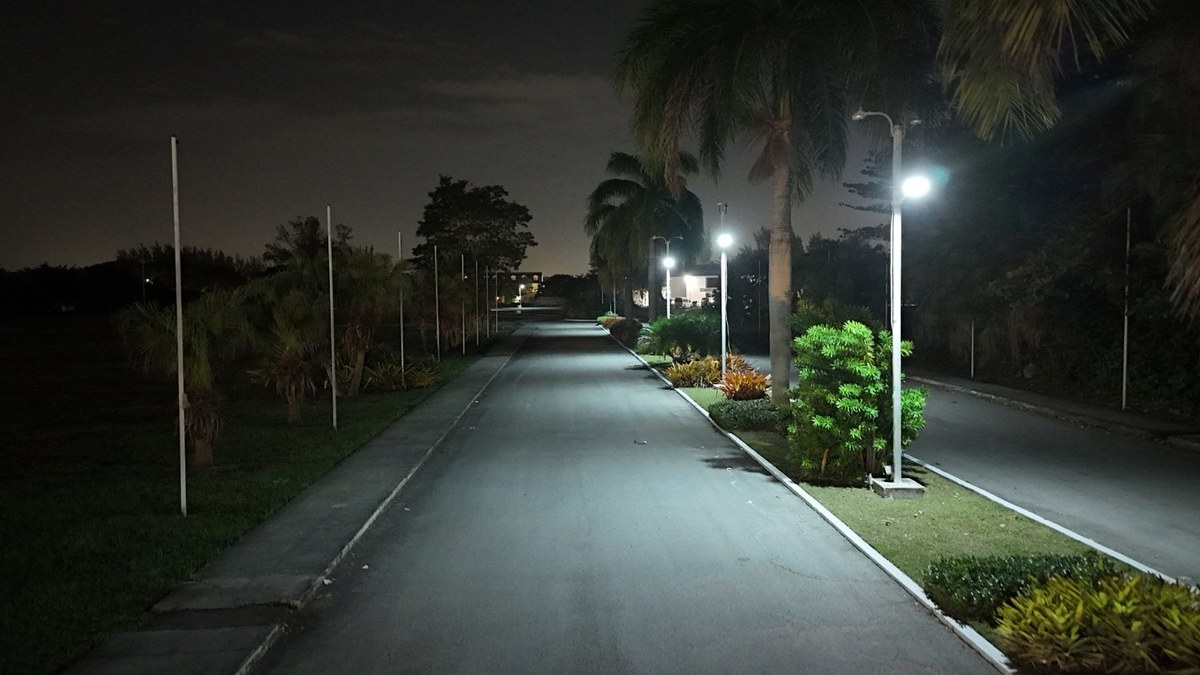
Solar street lights illuminating a landscaped commercial driveway at night
Solar street lighting — commercial driveway.

04

Support

Repairs, troubleshooting and technology support.

Laptop and desktop repairs, screen and hardware upgrades, virus removal, data recovery and everyday IT support for homes and businesses — plus maintenance for the systems we install.

  • Laptop & desktop repairs
  • RAM, SSD & screen upgrades
  • Virus removal & data recovery
  • IT support
Book a repair

Surveillance trailer rental

Need eyes on a property without power?

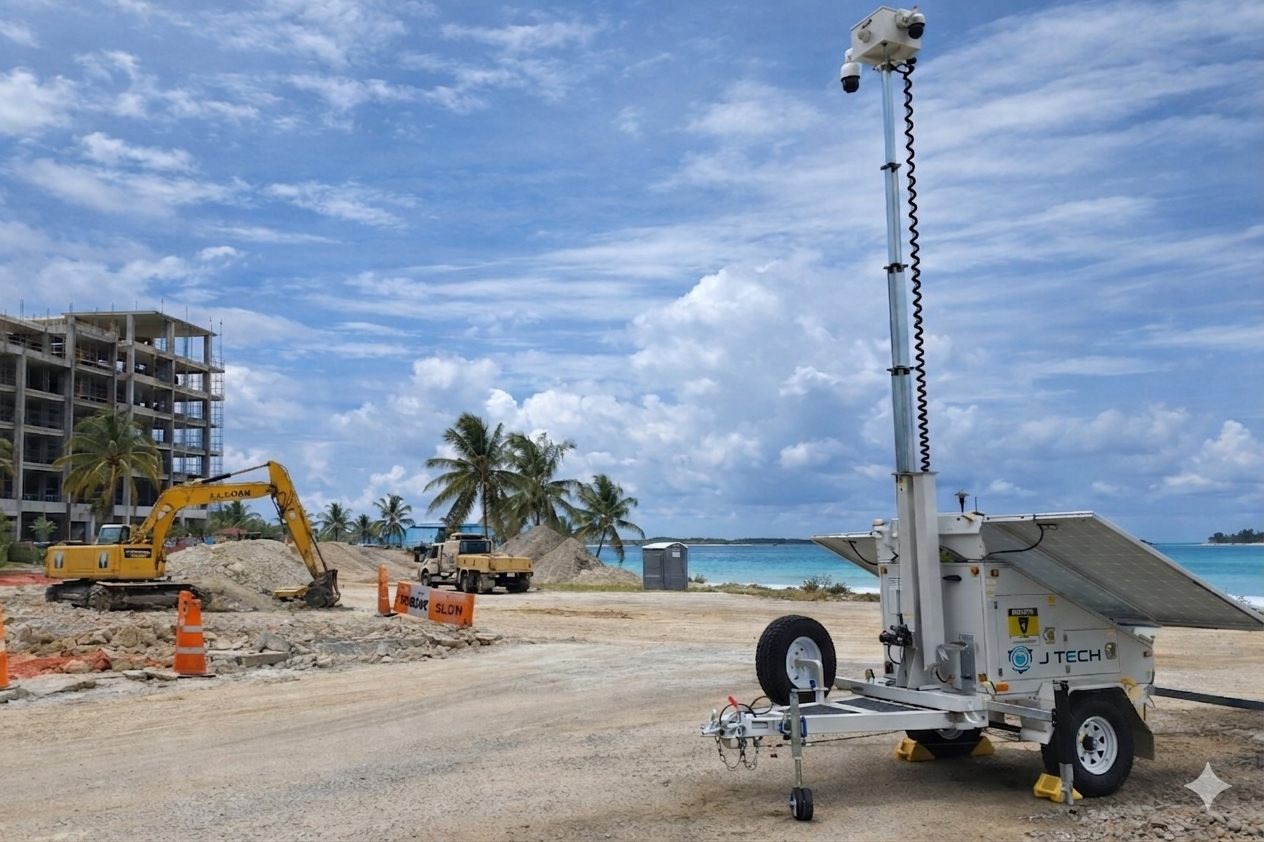
The JTECH surveillance trailer is a solar-powered camera tower we deliver, raise and configure on site. It records around the clock and streams to your phone — no power hookup, no wiring, no construction.

JTECH solar-powered surveillance trailer with its camera mast raised on site
GoView unit with 4K cameras, optical zoom, IR night vision and AI detection for people, vehicles and license plates.

Solar powered

Solar panels and battery backup keep it running with no power hookup and no fuel.

4G connected

Streams over the cellular network, so it works on sites with no internet.

Rapid deployment

We tow it in, raise the mast and configure it — operational within hours of delivery.

Remote viewing

24/7 recording with live viewing from your phone, anywhere in the world.

Useful for Construction sitesEventsVacant propertiesRemote locationsTemporary securityEquipment & storage areas

Recent projects

Installed across Nassau and the Family Islands.

We have plenty more photos and videos of finished installs — just ask.

See more on WhatsApp

Camera hosting portal

All your 4G solar cameras. One login. Any browser.

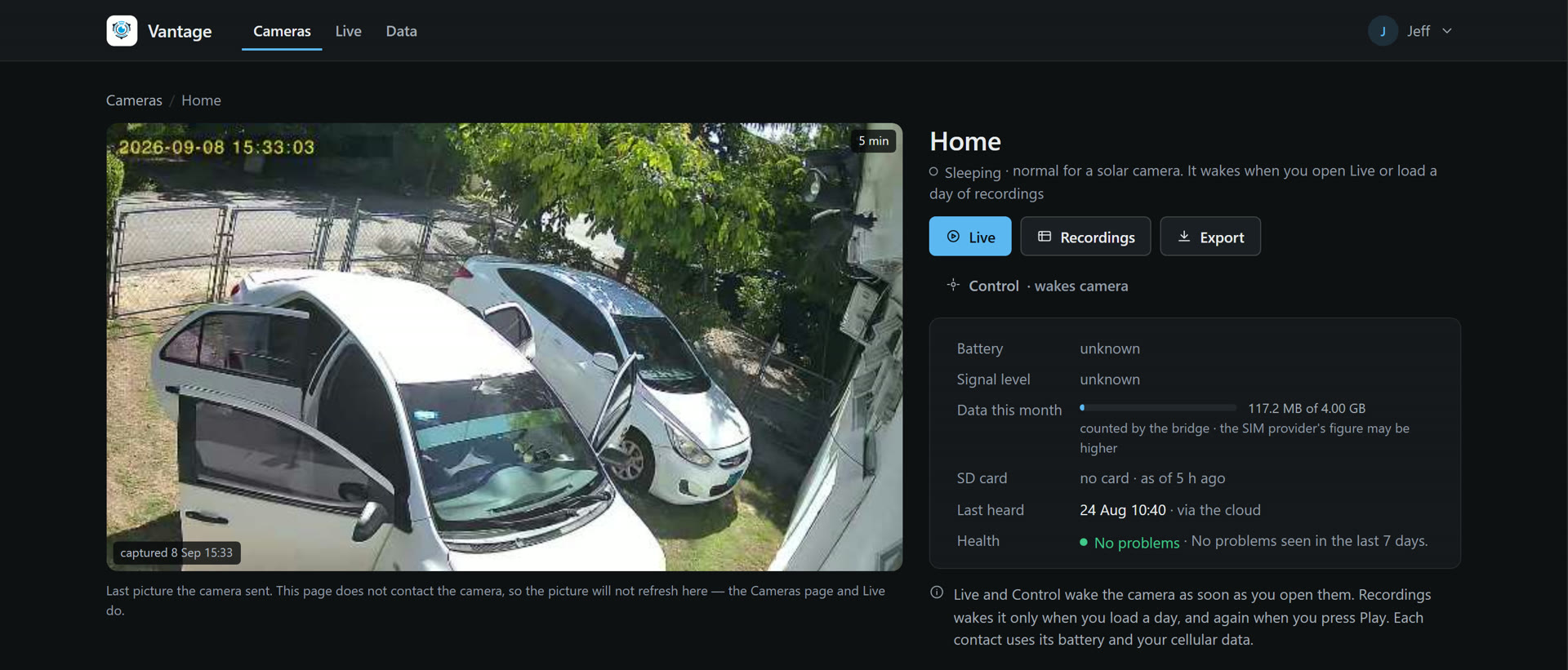
Vantage is JTECH’s hosted portal for 4G solar cameras. Sign in from your phone or laptop — no app — and see every camera you own on one screen: live view with pan and tilt, a spotlight button, recordings by day, and clip export. Each client sees only their own cameras, and we host and support it from Nassau.

The Vantage portal showing one camera's page: the last picture from a driveway camera, Live, Recordings and Export buttons, and the battery, signal and data readings
A camera’s page in the portal, exactly as a client sees it — the last picture, Live, Recordings and Export, and this month’s data. Our own camera; every client sees only theirs.

One screen, every camera

Watch several cameras at once, pan and tilt from the tile, and switch the spotlight on from your phone. It goes off by itself when you stop watching, to protect the battery.

Recordings and clips

Browse each camera’s footage by day, play it back and export a clip as a file. Footage lives on the camera’s own card; nothing is uploaded to a cloud.

Built for solar cameras

Cameras sleep to save power and wake in about 20 seconds when you open them. The portal shows the real state instead of a blank screen, and keeps every camera’s clock right.

Data and battery, watched for you

Cellular use is tracked per camera and per SIM, with a warning before an allowance runs out, plus alerts for a low battery or a camera that has stopped reporting.

Useful for Farms & livestockYards & storageConstruction sitesVacant propertyHomesFamily Islands

How we work

Straightforward from the first visit to handover.

01

Site visit

We visit the property, free of charge, and understand what you actually need.

02

Recommendation

We design a practical solution around the property, the environment and your budget — with an honest quote.

03

Installation

Our team installs, configures and tests everything, including remote access on your phone.

04

Handover

We walk you through the system and make sure you know how to use it. We're a message away after that.

About JTECH

Trusted to keep properties connected and secure.

We're not a call center — we're your neighbors. JTECH is based in Nassau and works across New Providence, shipping equipment and arranging installations throughout the Family Islands.

Every system we install is set up for remote access, we fit hardware suited to Bahamian sun and salt air, and every installation starts with a free site visit so you only pay for what the property actually needs. When something needs attention, message us — we'll sort it out.

  • LicensedLicensed security & IT professionals.
  • FreeNo-obligation site visits before any installation quote.
  • PropertiesHomes, businesses, construction sites, remote properties and events.
  • HardwareUbiquiti, Starlink, Synology, Reolink, ANNKE, Dell, HP, Lenovo, TP-Link.

Questions

The things people usually ask first.

Anything else? Message us on WhatsApp — it's the fastest way to a real answer.

Is the site visit really free?

Yes — completely free and zero obligation. We come to your property, assess what you actually need, and give you a clear, honest quote before you spend a single dollar.

Can I watch my cameras while I'm off-island?

Absolutely. Every system we install is configured for remote viewing, so you can check live feeds and recordings from your phone anywhere in the world — a second home in Eleuthera or a hotel room in Toronto.

Do you serve the Family Islands?

Yes. We're based in Nassau and ship products and arrange installations across the Family Islands. For truly remote or off-grid properties, our 4G solar cameras and Starlink installs are built exactly for that.

What happens when the power goes out?

Our 4G solar cameras keep running entirely on solar and battery — no grid, no internet line needed. For wired systems, ask us about backup options during your site visit and we'll design around outages.

How does the surveillance trailer rental work?

WhatsApp us your site, dates, and what you're protecting. We quote, schedule delivery, then tow the trailer in, raise the mast, and configure everything — it's recording and live on your phone within hours of arrival.

What brands do you install?

Hardware chosen for the Bahamian climate: Ubiquiti and TP-Link for networking, Reolink and ANNKE for cameras, Synology for storage, and Dell, HP, and Lenovo for workstations. Plus official Starlink kits.

Do I need an app for the camera hosting portal?

No. Vantage runs in any browser on your phone, tablet or laptop — sign in at eyes.jtechbs.com and your cameras are there. You can also have a separate viewer login for staff that can watch but not change settings.

How long does the portal keep footage?

Footage stays on each camera’s own SD card, not in a cloud. How far back it reaches depends on the card size and how often the camera records; the portal lets you browse by day and export the clips you want to keep.

What happens when a camera’s SIM runs out of data?

The portal tracks each SIM’s use and warns before the allowance is projected to run out, so a top-up can be arranged with us in time. Until it is topped up the camera keeps recording to its card but cannot be viewed remotely.

How fast do you respond?

Usually within the hour during business hours — WhatsApp is always the quickest way to reach us. Call or email works too.

Get in touch

Book a free site visit.

Tell us what you're trying to protect or connect. We usually reply on WhatsApp within the hour during business hours, then come and take a look and give you a clear quote.

Or send the details now

We'll open WhatsApp with everything pre-filled — one tap to send.

This opens WhatsApp with your details pre-filled — nothing is sent until you press Send there.

Almost done — press Send in WhatsApp. WhatsApp should have opened with your details. If it didn't, tap here to open it, call (242) 421-8770, or email [email protected].